AI Design System Refresh
Designing for AIProject
- UX Architecture
- Design System
- AI-First Approach
tools
- Figma
- Enterprise Claude
Roles
- UX Researcher
- Product Designer
- Interaction Designer
Deliverables
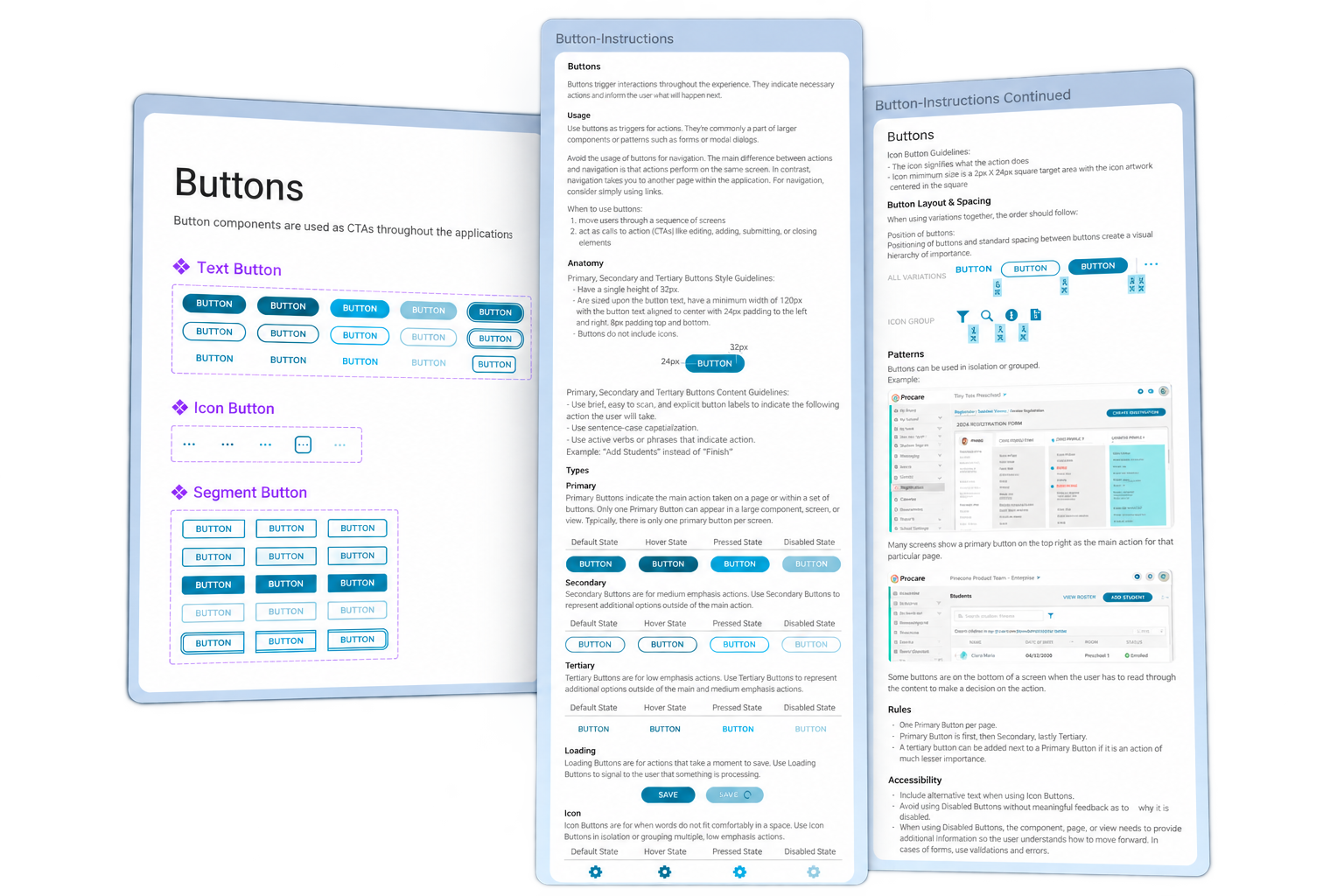
- System that translates between Figma, Claude, and the codebase.
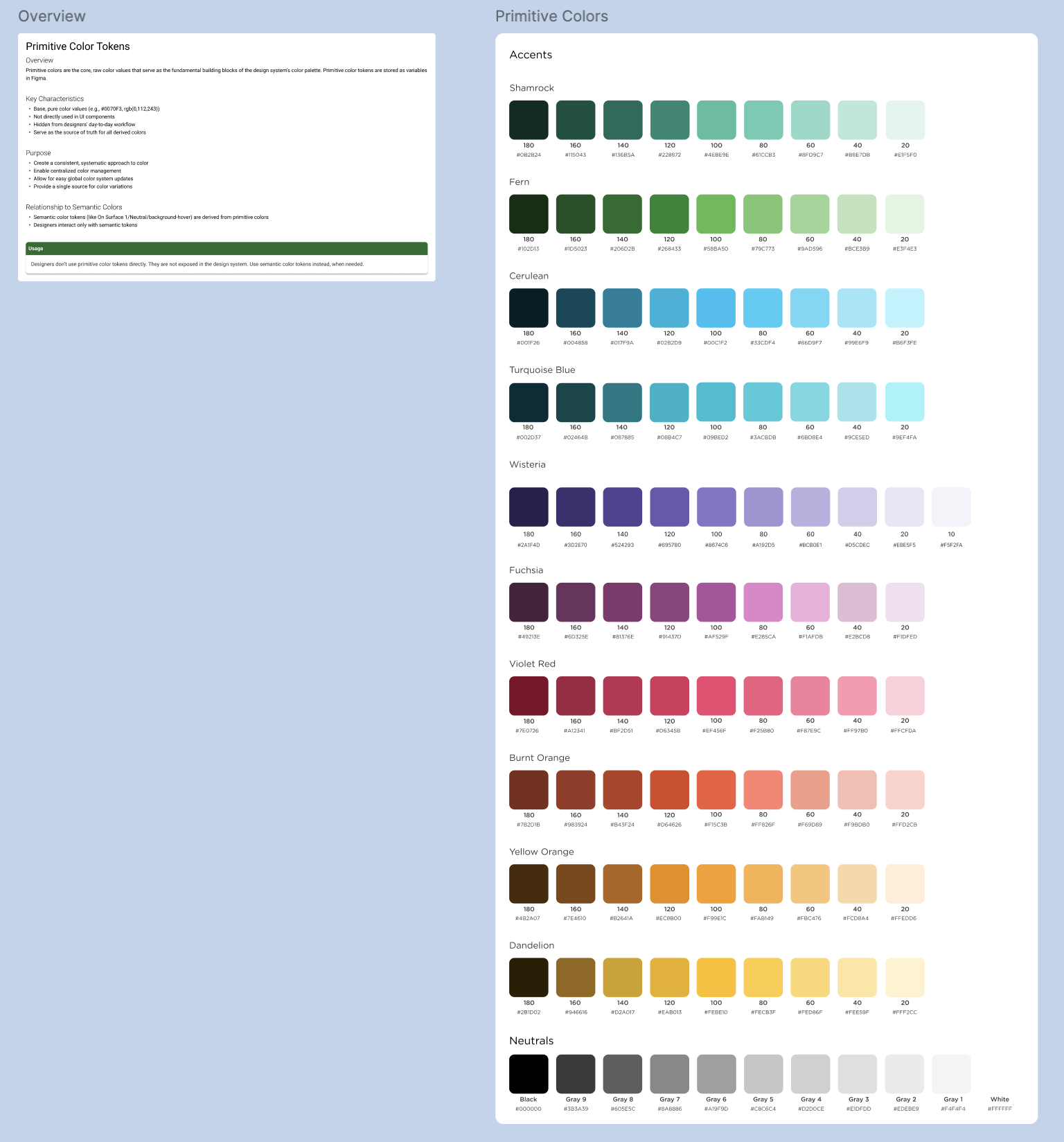
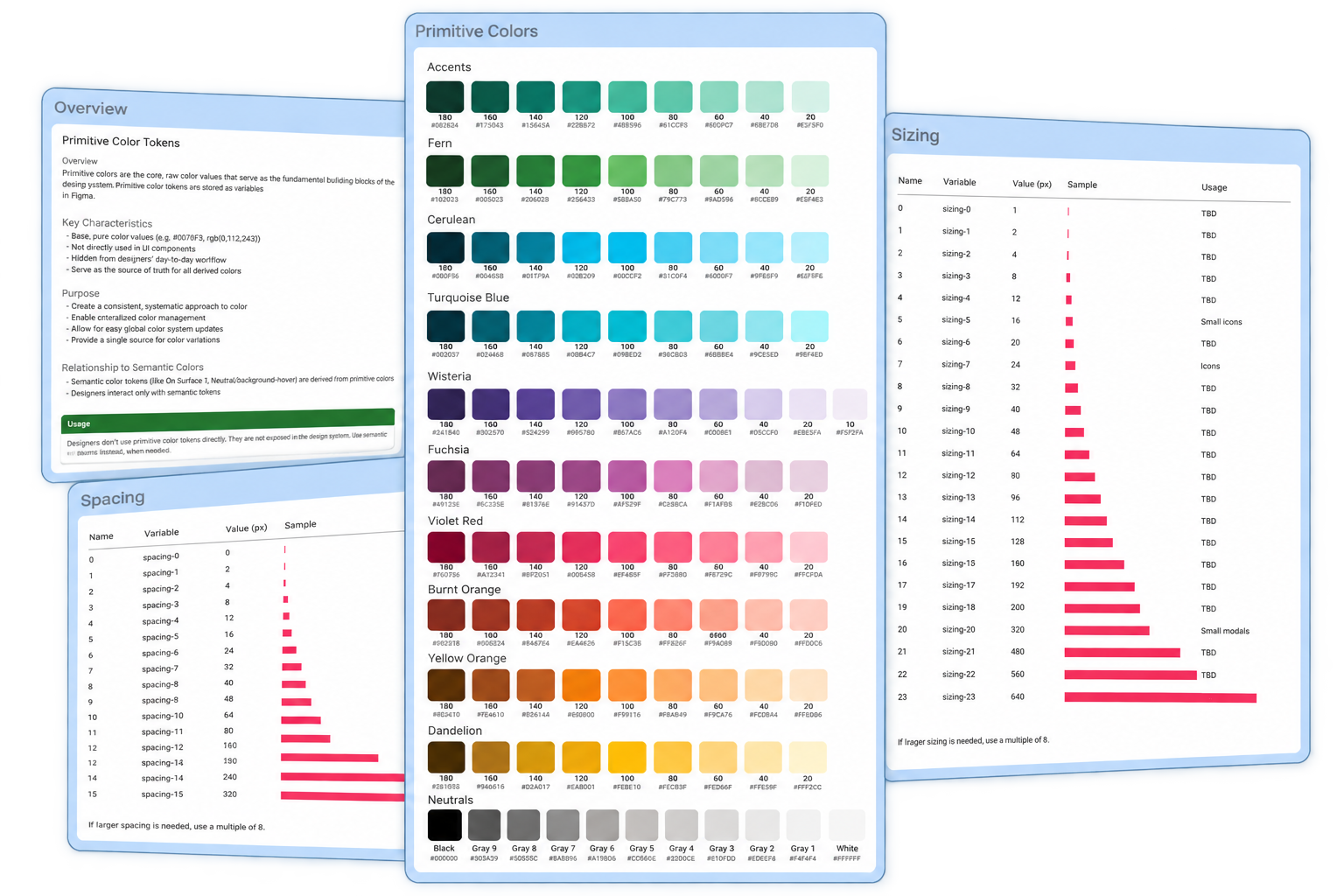
- 192 total variables (incl. primitive/semantic colors, typography, radius, spacing, sizing)
- 18 styles
- Claude Design Library
- Figma Library
Project Info
Challenge
AI is becoming a bigger part of the design process, but our design system wasn’t built for AI. It was mainly built for humans.
I inherited a design system that was pretty rudimentary. There were components and instances but it was not a tokenized system that could be easily translated to build using AI.
As the senior designer on this product team, I had to ask myself:
How might we take an existing design system and make it more structured, scalable, and AI-friendly?
And, perhaps most importantly, how might we use AI without losing the design decisions and intentionality that make a system feel cohesive?
Solution
Designers need a way to give AI the same design language they use themselves because AI is only as useful as the system and context we give it.
I took the existing design system and reworked it in Figma, introducing a more intentional tokenized structure so that the relationships between foundational styles, components, and patterns were easier to understand—not just for a designer, but for AI too.
From there, I brought the system into Claude as a design system and used it as a foundation for refining and generating designs within the established visual language. I also lended from the codebase and tried to connect what was already existing in prod.
The result was a design system that could do more than document how the product should look. It became a shared language between designer, developer and AI—giving AI the context and structure it needed to work within the system rather than starting from scratch every time.
Leveraging AI for AI
AI played a larg roele in getting this project off the ground. I used both Figma AI and Claude throughout the process to help me move faster, explore ideas, clean things up, and iterate on the system.
For example, after creating all of the Figma tokens by hand, I took existing components and wired them together with the new tokens. This would have been an incredibly tedious process without AI. It also would have taken me weeks. Instead, it took me a few minutes for each chunk of work. AI was connecting hundreds and thousands of tokens from radius sizes to semantic colors to the existing components and rewriting them so AI could better translate for future designs.
A project like this could have taken years to build out before AI. Instead, I was able to take it from a pretty rudimentary design system to a much more structured, AI-ready system in about a month — all while still doing my typical day-to-day project work.
AI didn’t do the designing for me. It just made it possible to do a lot more, a lot faster.
The (not-so-final) Outcome
The moment of truth was when the system was finally in Claude! This was the part I really wanted to test.
Could AI actually use the design system instead of just knowing that it existed? Was all that work really worth doing?
I started giving Claude Design different prompts and asking it to create, change, and refine designs while staying within the system.
It wasn’t perfect, in fact it was FAR from it. I had to continuously refine within Claude and that took several more days. It was a little disheartening to say the least – a false summit of sorts, there were moments that I wondered if I had wasted a lot of my time. Should I have taken that Saturday off instead of hammering down this system? Would it all be worth it?
But after some time, and after learning how Claude “thinks”, I was able to re-shape it into something that actually works. It’s almost as if I had to train Claude like it was a junior designer. I had to teach it all the rules, the nuances and the templates. And then, finally it was starting to go somewhere.
That’s when the project started to feel less like a traditional design system and more like a design system built for collaboration between a human and AI.
But I quickly learned that I wouldn’t be able to do this all on my own and I wouldn’t be able to hold on to it for much longer. The pressure of designing with Claude design faster and almost in real-time was growing every week for my team so I really needed to get something out there. It wasn’t going to be perfect but that was going to have to be okay with me.
Final Takeaways
Iterative and continuous
AI works best when you give it good context, so my biggest tip is to give it as much structure and direction as possible. Telling it what NOT to do is just as important as telling it what to do. But don’t forget the human! It’s easy to get hyper-fixated on the AI piece that you forget someone still has to use it in th end. And finally, it wasn’t going to be perfect—and it didn’t have to be. I had to treat this like an MVP, get it in front of real people, learn from their feedback, and create a process for continuously improving the system as it evolves.
More projects